You have 72 hours from an unwanted change to undo it. After that, the change is permanent. Start now.
Undo a change to your identity
If someone changed your identity without you, a recovery key you hold can reverse it. This happens most often when a password is stolen: the attacker signs in to your PDS, requests a confirmation code, and uses it to move your identity somewhere they control.
How it works
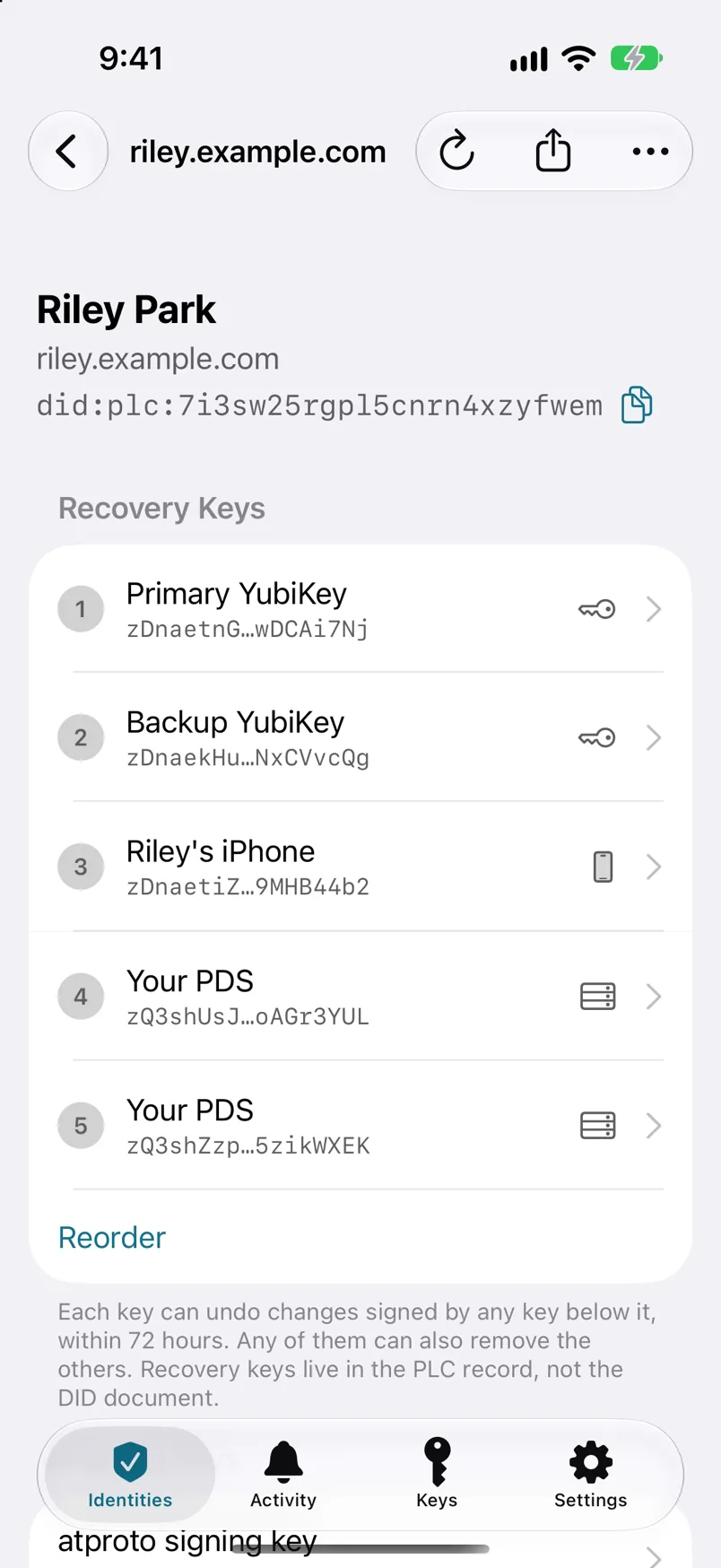
Your recovery keys are ranked. For 72 hours after any change, a key ranked above the one that made it can replace that change with your identity as it was before. Your YubiKey ranks above your PDS, so it can undo a change made through your PDS, even one made with your stolen password.
You’ll need
A recovery key ranked above the key that made the change, usually your YubiKey.
-
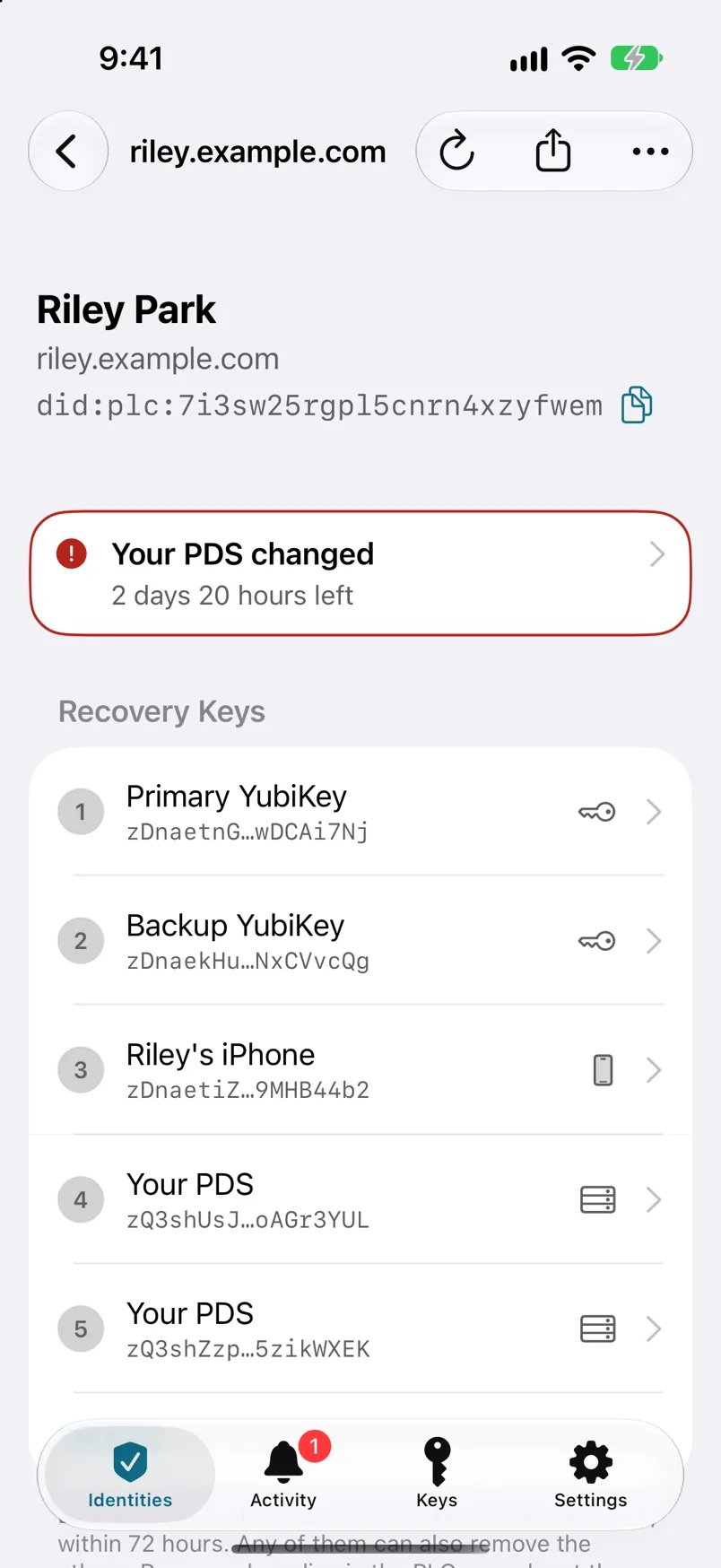
Step 1: Open the alert, or open your identity.
The unwanted change is flagged in red, with the time you have left to undo it.
-
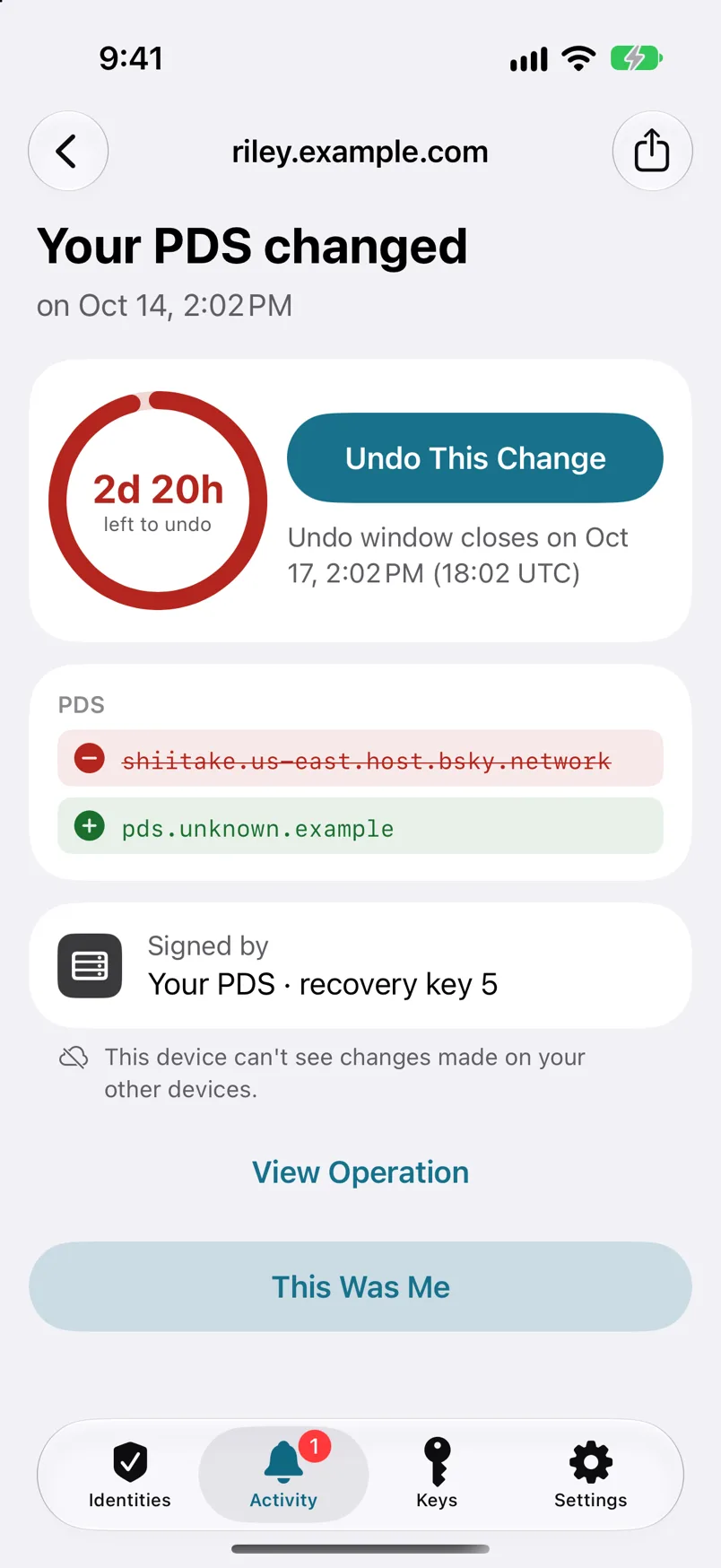
Step 2: Tap the change to see what it did.
For example: your PDS address changed to one you don’t recognize.
-
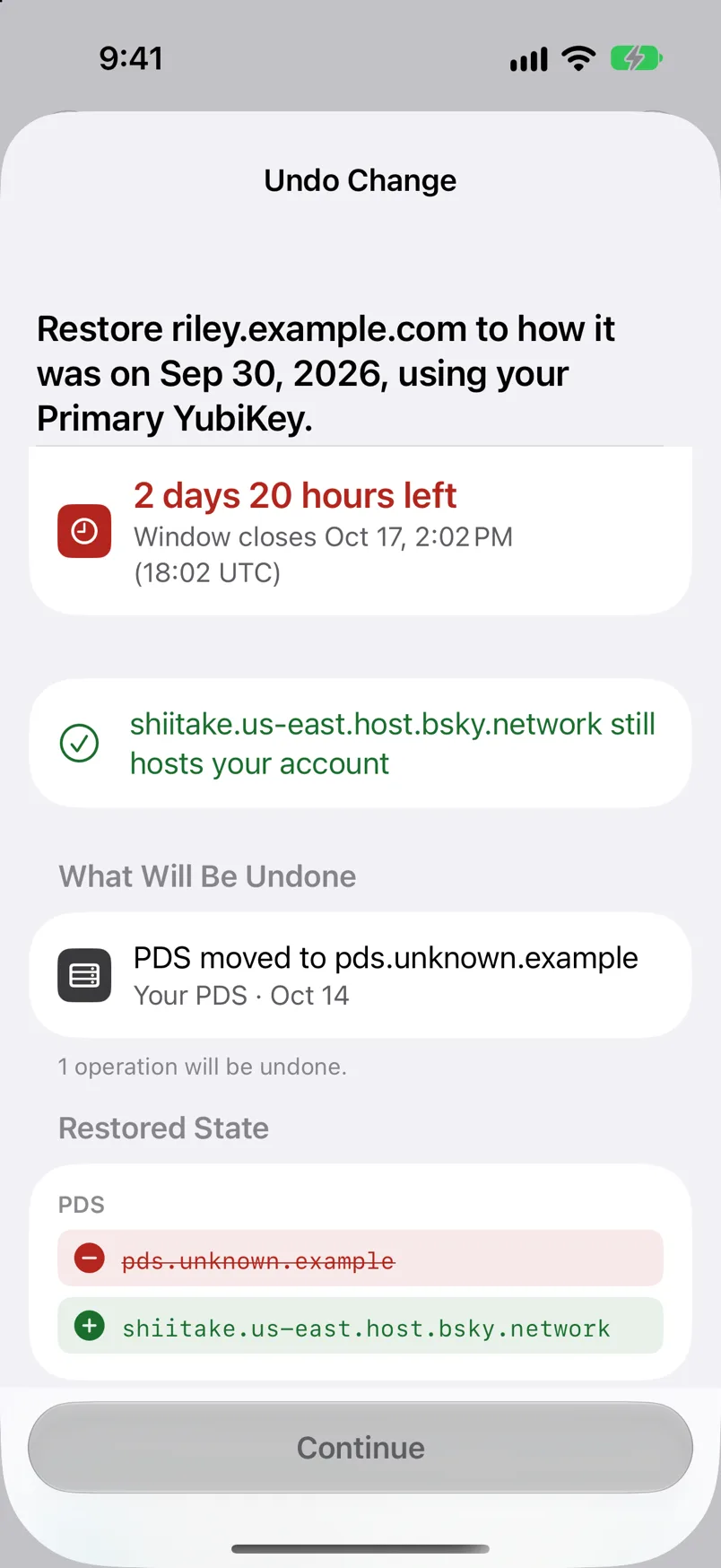
Step 3: Tap Undo This Change.
PLC Keeper shows what will be undone and how your identity will look once restored. Under Also remove the key that made this change, choose Remove It or Keep It, then tap Continue. Review the change, tap Continue, and choose the recovery key to sign with.
-
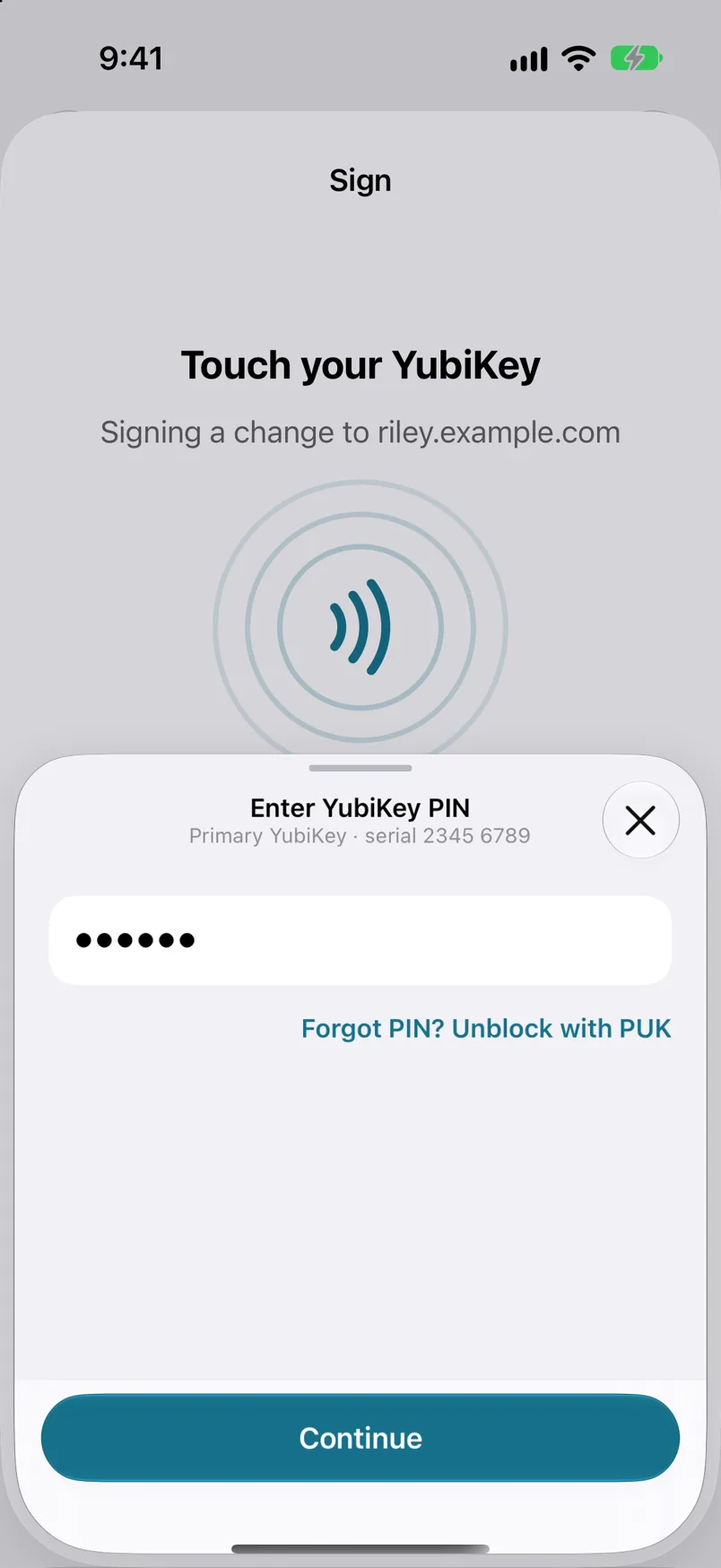
Step 4: Sign with your recovery key.
Tap Sign. For a YubiKey, enter its PIN, then connect the key and touch it.
-
Step 5: Check your identity.
PLC Keeper confirms the identity is restored. Your PDS, handle and keys are back the way they were, and the warning is gone.
Then secure your accounts
- Tell your PDS operator what happened.
- Secure your email account. The confirmation code for identity changes goes to your email, so an attacker may have been in there too.
- Sign out your account’s other sessions and revoke its app passwords.
- Check that your account’s email address hasn’t changed.
- Change your account password.
- If you no longer trust your PDS, follow Move your identity to a new PDS.
Too late?
If more than 72 hours have passed, or no key you hold ranks above the one that made the change, it can’t be reversed this way. When a change can’t be undone covers what you can still do, or write to hello@plckeeper.app and we’ll help you work out what’s possible.