Watch alerts: what they mean and what to do
PLC Keeper checks your identity in the background on its own. PLC Keeper Watch looks around the clock and alerts you within minutes of any change, which gives you the most time to act.
You’ll need
An identity in PLC Keeper and $10 a year. Everything else in the app stays free without it.
-
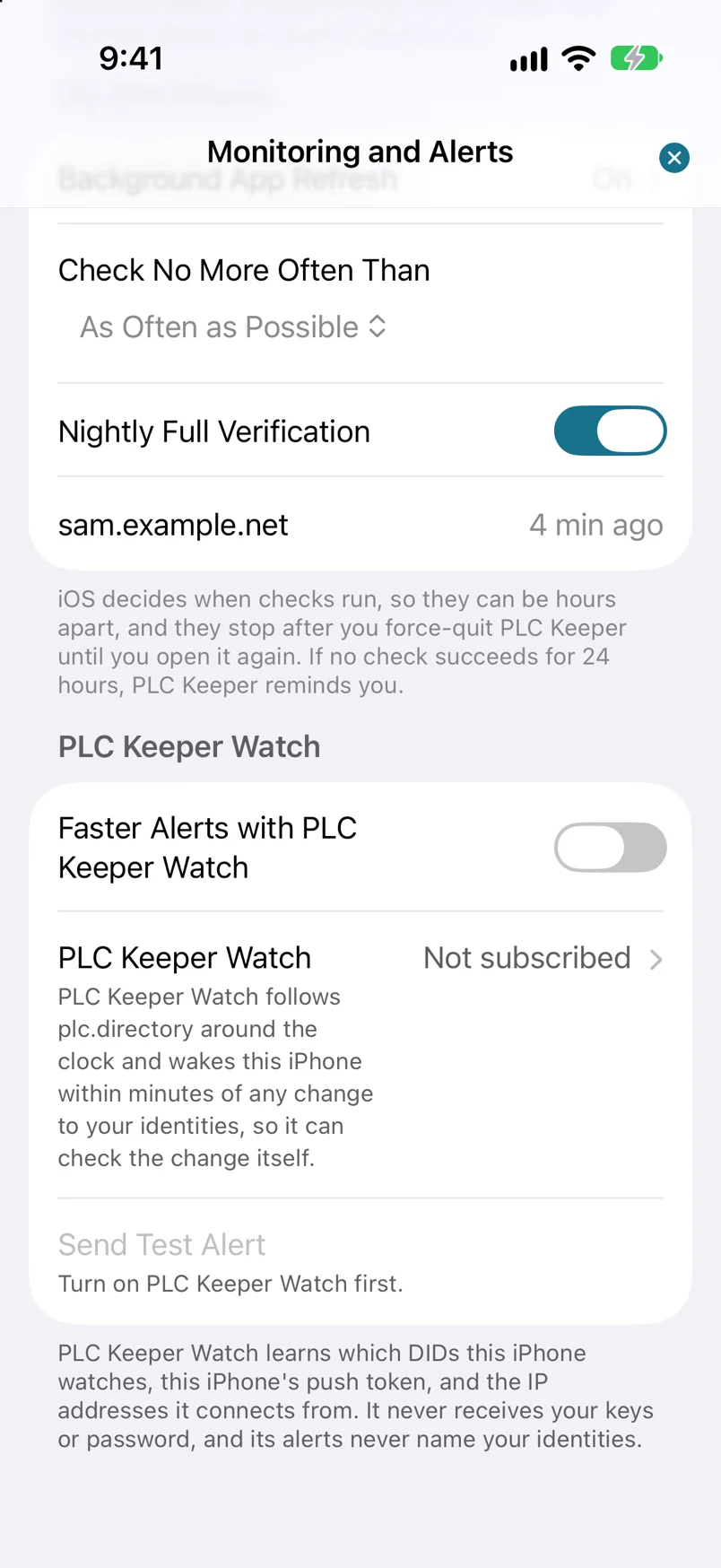
Step 1: Open Settings, then Monitoring and Alerts.
Scroll to the PLC Keeper Watch section. PLC Keeper Watch shows whether you’re subscribed.
-
Step 2: Turn on Faster Alerts with PLC Keeper Watch.
Without a subscription, this opens PLC Keeper Watch. You can also tap PLC Keeper Watch directly.
-
Step 3: Subscribe, then turn on Faster Alerts with PLC Keeper Watch again.
Payment goes through the App Store. You can cancel any time with Manage Subscription on the same screen, at least 24 hours before it renews. Once Watch is active, go back to Monitoring and Alerts and turn on Faster Alerts with PLC Keeper Watch. That registers every identity on this iPhone with the watcher. Send Test Alert checks that alerts reach you.
-
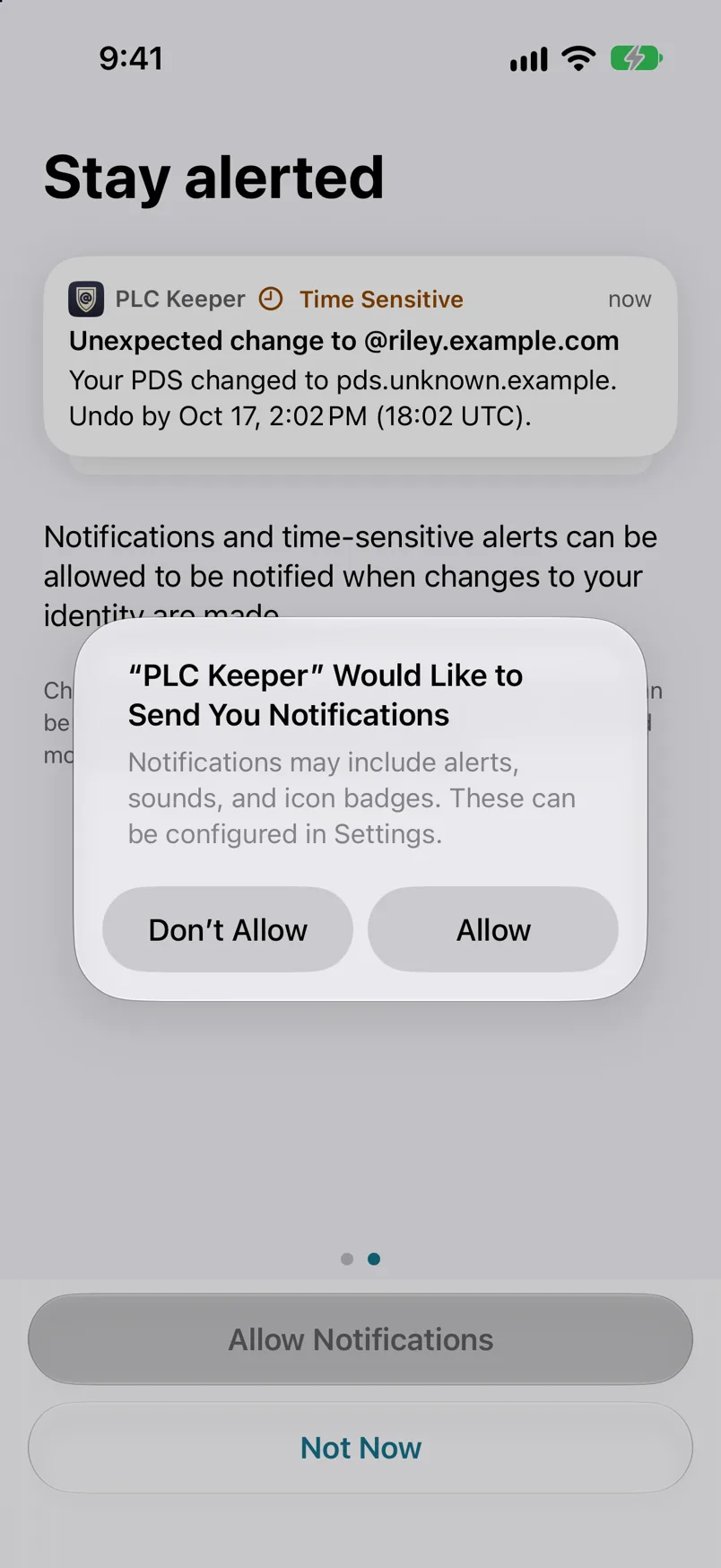
Step 4: Allow notifications, including time-sensitive ones.
Critical alerts are sent as time-sensitive notifications, which can reach you during a Focus if you allow PLC Keeper or Time Sensitive notifications for that Focus. PLC Keeper asks when you set it up; if you didn’t allow them then, turn them on in iOS Settings.
What an alert means
Something new was recorded for your identity in the PLC directory. That could be a new PDS address, a new handle, a new signing key or a change to your recovery keys. Alerts are graded by how serious they are, and a critical alert shows how long you have left to undo the change.
| The alert says | What it means | What to do |
|---|---|---|
| Your PDS changed | Your identity now points to a different server for your account. | If you didn’t move, follow Undo a change now. |
| Your handle changed | Your identity now has a different handle. | If you didn’t change it, follow Undo a change now. |
| Your signing key changed | A different key now signs your posts and records. | If you or your PDS didn’t change it, follow Undo a change now. |
| Your recovery keys changed | Keys were added to, removed from or reordered in your recovery keys. | If you didn’t do it, follow Undo a change now. |
What to do
- If you made the change, open the alert and tap This Was Me.
- If you didn’t, open it now and follow Undo a change. You have 72 hours from the change, and the alert shows the time left.
Privacy
Watch’s alerts never contain your handle, DID, or keys. They only tell PLC Keeper to look. PLC Keeper checks the change itself and writes the notification on your device.